
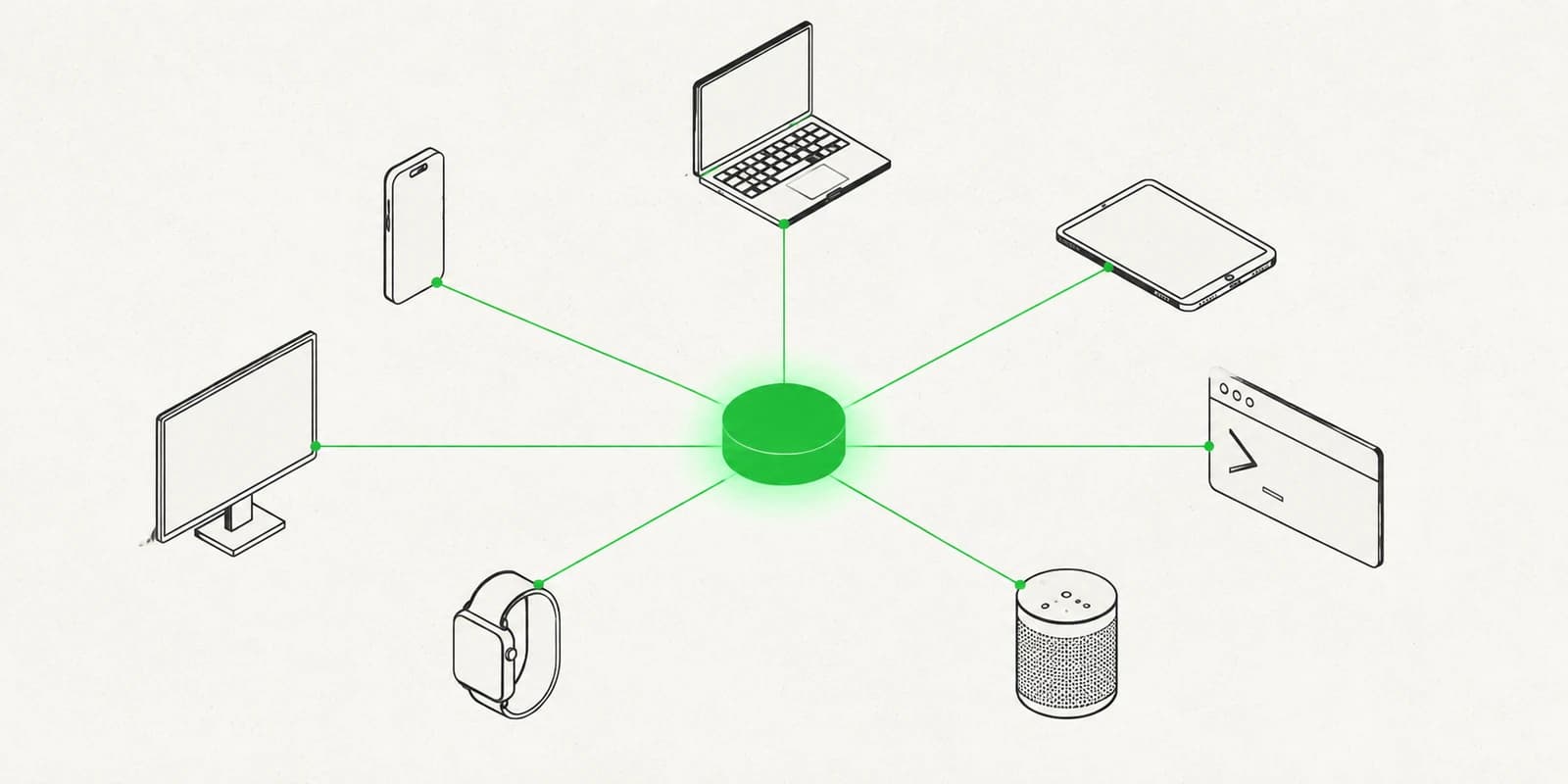
One bot, every channel, what multi-channel support actually requires
Running the same assistant on the web, WhatsApp, Telegram, LINE, Messenger, Instagram and Discord is a configuration problem, not seven integration projects. Here is what each channel actually demands.
·6 min read
In short: running one AI assistant across web chat, WhatsApp, Telegram, LINE, Messenger, Instagram and Discord is a configuration problem, not seven integration projects. The assistant's instructions, knowledge, escalation queue and billing should be shared; only the transport differs per channel. The hard channel is WhatsApp, which has two incompatible connection routes. The easy ones are Telegram and web chat, each roughly a five-minute setup.
Most teams arrive at multi-channel support the same way. The website gets a chat widget. Then customers start messaging the WhatsApp number on the invoice. Then someone in Bangkok asks why there is no LINE account. Each one gets solved separately, and within a year support is spread across four tools that do not know about each other, with four sets of canned replies drifting out of sync.
The alternative is one assistant configured once, connected to each channel as a transport. That is worth doing, but it is worth being honest about what it costs, because the channels are genuinely not equivalent, and anyone who tells you they are has not connected all of them.
What is actually the same across channels
The parts worth centralising are the parts that have nothing to do with transport.
The bot's identity and instructions. Name, tone, what it is allowed to say, what it should refuse. Written once. A tone rewrite that has to be applied in four places will be applied in two.
The knowledge it answers from. If your return policy changes, it changes for every channel at the same moment or you have a support problem you cannot see.
Escalation. Handing a conversation to a person is one queue, not one queue per channel. An agent should not need to know which app a customer used before they can help.
Spend. One balance, one usage log. Per-channel billing makes the obvious question, what does this actually cost us, into a reconciliation exercise.
What is genuinely different
Here is where the work is, and it varies more than the marketing pages of most vendors suggest.
Web
The easiest, and the only one where you control both ends. A script tag on your own pages, an allowed-domains list so the widget cannot be lifted onto someone else's site, and a starter prompt or two. Nothing to verify, nobody to apply to.
The hardest, and the one where the shape of the decision is usually hidden from you. There are two routes and they are not the same product.
The bridge route links a number you already use by scanning a QR code, exactly as WhatsApp Web does. It works today, in any country, with no Meta account. It is also unofficial: WhatsApp can unlink the device whenever it likes, and the phone that owns the number has to stay online and charged. For a small operation getting started, that trade is often correct.
The official Business API route runs through Meta. Your WhatsApp Business account stays in your own Meta business, Meta bills the message fees to the card on that account, and a business that has not completed Meta's verification is capped at 250 business-initiated conversations a day until it does. Slower to set up, and the one to pick when WhatsApp is a channel the business cannot afford to lose.
Anyone presenting WhatsApp as a single toggle has picked one of these for you without saying which.
Telegram
Genuinely simple. You create the bot in Telegram's own BotFather, paste one token, and you are done. Rich formatting and inline keyboards come free.
LINE
Two values copied from a LINE Official Account. Straightforward once you have the account, but the account itself matters commercially if you sell into Japan, Thailand or Taiwan, where LINE is often the primary channel rather than a secondary one.
Messenger and Instagram
Both run through a Facebook Page and both inherit Meta's messaging rules, most importantly the 24-hour window, outside which what you may send a customer is restricted regardless of what your bot would like to say. Instagram can be connected by signing in with Instagram directly, or the longer way through a linked Facebook Page.
Discord
A different audience shape. Discord support is usually a community, not a queue, and a bot answering in a public channel is answering in front of an audience. That changes what it should be willing to say.
The part that decides whether this works
Every channel above is a transport for the same conversation. The thing that determines whether one assistant across seven channels is better than seven assistants is whether escalation is shared.
A customer who asks for a human on Instagram and a customer who asks on WhatsApp should land in the same place, in front of the same agent, with the conversation history attached. If they do not, you have not consolidated anything, you have added a seventh place to check.
The same goes for what the bot knows. A grounded assistant with one document set answers consistently across channels by construction. Seven bots with seven document sets answer consistently right up until someone updates six of them.
Where to start
Start with the channel your customers already use, not the one that is easiest to connect. The web widget is the fastest to stand up and the least likely to be where your customers are.
Then add the second channel only once the first one is answering well. Every channel multiplies the cost of a bad instruction set: a bot that is 80% right is a nuisance on one channel and a liability on five.
If you want the mechanics of any single connection, each one has its own guide in the Help Center, and the integrations pages summarise what connecting each involves before you start.
FAQ
Which messaging channels can one AI chatbot cover?
A single assistant can answer on web chat, WhatsApp, Telegram, LINE, Facebook Messenger, Instagram DMs and Discord. Each channel is a transport for the same conversation, so the bot's instructions, documents and escalation queue are configured once rather than per channel.
Which chatbot channel is easiest to set up?
Web chat and Telegram. Web chat is a script tag on your own pages plus an allowed-domains list, with nothing to verify and nobody to apply to. Telegram is a bot created in Telegram's BotFather and one token pasted in.
Which chatbot channel is hardest to set up?
WhatsApp, because it has two different connection routes rather than one. The bridge route links an existing number by QR code and works immediately but is unofficial. The official Business API route runs through Meta, requires a WhatsApp Business account, and caps unverified businesses at 250 business-initiated conversations per day.
Should I run one chatbot across all channels or one per channel?
One assistant across all channels, provided escalation and knowledge are genuinely shared. Separate bots per channel means updating instructions and documents in several places, and they answer consistently only until someone updates all but one.
What is the 24-hour rule on Instagram and Messenger?
Meta restricts what a business may send a customer more than 24 hours after that customer's last message. It applies to Instagram DMs and Facebook Messenger regardless of which chatbot platform you use, and it limits outbound messages rather than replies within the window.
Which channel should I connect first?
The channel your customers already use, not the one that is quickest to connect. Add a second channel only once the first is answering well, every additional channel multiplies the cost of a weak instruction set.